
Why Are My Queries Slow?
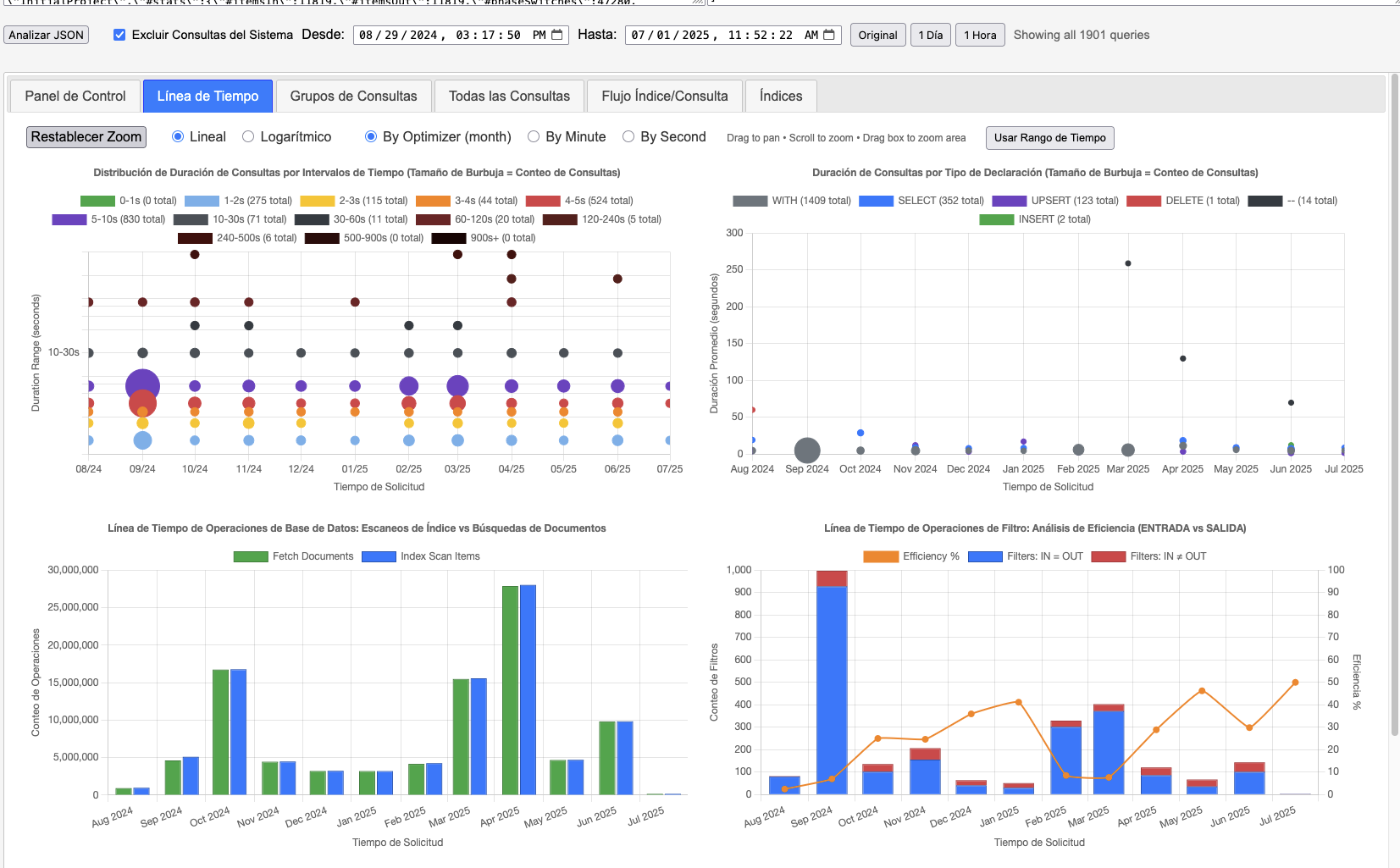
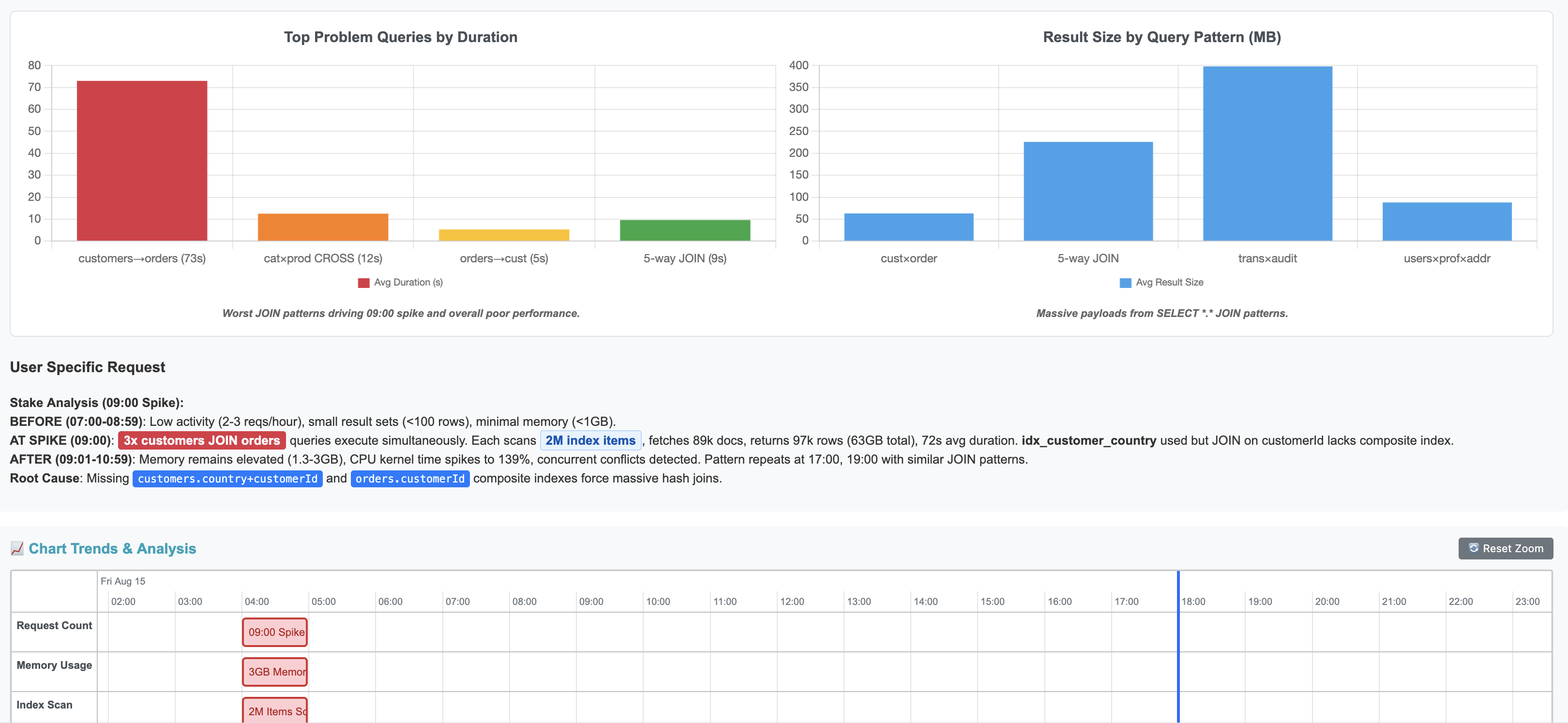
Slow queries often result from unoptimized N1QL/SQL++, missing indexes, or inefficient scans. This tool helps:
- Identify bottlenecks with detailed query analysis and Insights.
- Visualize query performance with timelines and metrics.
- AI Analyzer (4.x) — Analyze your slow queries with xAI Grok, OpenAI, or Custom AI API.
Get Started
4.x vs 3.x Features| 4.x | 3.x | |
|---|---|---|
| Analyzer | JavaScript / AI API | JavaScript |
| Runs Locally | Yes | Yes |
| Stores Data | Yes, In Local Couchbase Lite | No |
| Masks / Obfuscate Your Data | Yes, Data Sent to AI API | No, Never Leaves Browser |
Run the following query in your Couchbase Query Workbench, Capella Query tab or cbq, then export the results as JSON.
SELECT *, meta().plan FROM system:completed_requests ORDER BY requestId LIMIT 2000;
Need targeted filters? SQL++ Query Examples
Open Analyzer — in the upper-left corner, paste or upload your JSON to get instant analysis and suggestions.
Private & Secure: Runs entirely in your browser with no server uploads.
First time? User Guide
Implement index or query changes, then re-run to confirm performance gains.
Pick your favorite platform to run the analyzer.



Save AI analysis results in your Couchbase cluster.


Optional Use your own custom AI API endpoint.


FAQs
Run the SQL++ query from 1. Extract Data in Couchbase Query Workbench or Capella Query tab, then export queries as JSON by copying and pasting or saving to a file. For advanced, targeted SQL++ queries to filter JSON results, see SQL++ Query Examples.
Also see: Sample (dummy) completed_requests JSON
Start with the User Guide for step-by-step instructions on parsing JSON, using filters, and navigating the analyzer tabs.
For interpreting metrics, optimization strategies, and debugging slow queries, visit the Analysis Hub.
Also see: SQL++ Query Examples • Sample JSON
The Couchbase cluster stores a small history of queries that take longer than 1 second. You can query/get this history via system:completed_requests catalog. Run the query from 1. Extract Data in Query Workbench or cbq to collect recent query executions, timing metrics, and the execution plan.
SELECT *, meta().plan FROM system:completed_requests ORDER BY requestId LIMIT 2000;
NOTE: The above query will not get all of the slow query history but rather a small 2000 sample in random order.
Yes, it is fully compatible with both Couchbase Server and Capella. Just run the same query from 1. Extract Data in the Query tab in your Capella cluster.
Also see: Couchbase Capella documentation
Version 4.0 supports xAI Grok and OpenAI models. You can use your own API key to get AI-powered analysis and optimization recommendations for your queries.
Your data stays private — queries are sent directly to your chosen AI provider from the desktop app.